State Of Decay Download: The Ultimate Survival Guide & Installation Handbook 🧟♂️
Welcome to the definitive State of Decay download resource! Whether you're a seasoned survivor or a newcomer to the zombie apocalypse, this comprehensive guide covers everything from system requirements and installation steps to exclusive gameplay strategies and community insights. Get ready to download and immerse yourself in one of the most authentic survival experiences in gaming history.
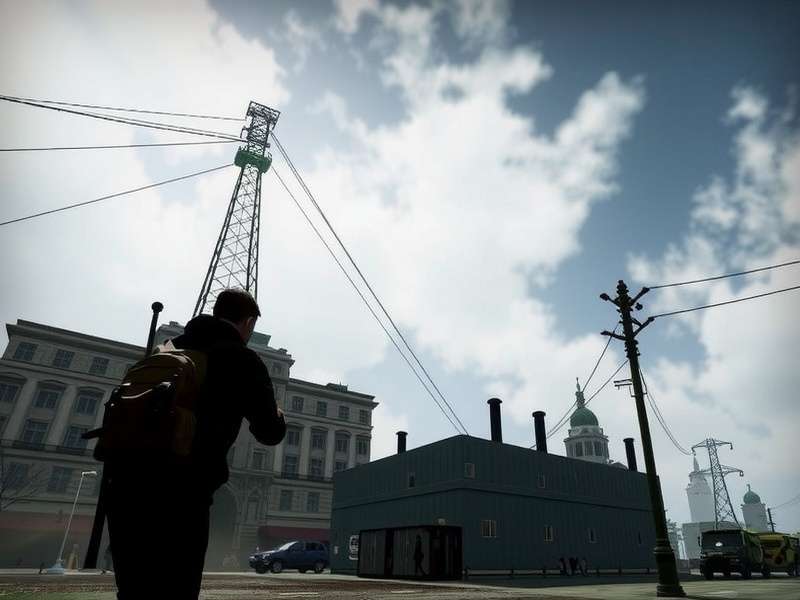
Why State of Decay Remains a Benchmark in Survival Gaming 🏆
First released in 2013, State of Decay revolutionized the zombie survival genre with its persistent world, permadeath mechanics, and emphasis on community management rather than individual heroics. Unlike traditional zombie games where you play as an invincible protagonist, State of Decay forces you to think strategically about resource management, base building, and survivor relationships. The game's legacy continues to influence modern survival titles, making it a must-download for any serious fan of the genre.
Pro Tip: Before downloading State of Decay, ensure your system meets the recommended requirements for optimal performance. The game's open-world design demands adequate RAM and graphics capability, especially during horde encounters and base defense sequences.
Official State of Decay Download Sources & Verification 🔍
When seeking a State of Decay download, it's crucial to obtain the game from legitimate sources to ensure security, receive updates, and access multiplayer features. The primary official platforms include:
Steam
Most popular platform with regular updates
Microsoft Store
Official Xbox Play Anywhere version
Xbox Marketplace
For console players (Xbox 360 & Xbox One)
Always verify the publisher is "Undead Labs" and check user reviews before downloading. Beware of third-party sites offering "free" downloads, as these often contain malware or outdated versions missing critical patches.
Step-by-Step Installation Guide 📥
Follow these detailed steps to successfully download and install State of Decay on your preferred platform:
For PC (Steam Version):
1. Launch the Steam client and create/log into your account
2. Use the search function to find "State of Decay: Year-One Survival Edition"
3. Purchase the game (watch for frequent sales!)
4. Click "Install" and select your preferred drive
5. Allow the download to complete (approximately 5.5 GB)
6. Once installed, launch via your Steam library
For Xbox Console:
1. Navigate to the Microsoft Store on your Xbox dashboard
2. Search for "State of Decay"
3. Select the correct edition (Year-One Survival Edition is recommended)
4. Complete purchase/download
5. Install and launch from "My Games & Apps"
System Requirements: Can Your Rig Handle the Apocalypse? 💻
Before initiating your State of Decay download, verify your system meets these specifications. The game has been optimized over the years, but adequate hardware ensures smooth gameplay during intense zombie horde encounters.
Minimum Requirements (Playable):
• OS: Windows 7 64-bit
• Processor: Intel Core 2 Duo 2.4GHz or AMD Athlon X2 2.8GHz
• Memory: 4 GB RAM
• Graphics: NVIDIA GeForce GTS 450 or AMD Radeon HD 5770
• DirectX: Version 11
• Storage: 10 GB available space
Recommended Requirements (Optimal Experience):
• OS: Windows 10 64-bit
• Processor: Intel Core i5-4570 or AMD FX-8350
• Memory: 8 GB RAM
• Graphics: NVIDIA GeForce GTX 960 or AMD Radeon R9 280
• DirectX: Version 11
• Storage: 15 GB available space (SSD recommended)
For detailed analysis of how State of Decay performs on various hardware configurations, check our comprehensive guide on State Of Decay Year One Survival Edition System Requirements.
Troubleshooting Common Download & Installation Issues 🛠️
Even with proper system requirements, some players encounter issues during or after their State of Decay download. Here are solutions to frequent problems:
Download Stalls or Fails
If your State of Decay download interrupts or progresses extremely slowly:
• Pause and resume the download
• Check your internet connection stability
• Temporarily disable antivirus/firewall (re-enable after installation)
• Clear download cache on your platform (Steam: Steam > Settings > Downloads > Clear Download Cache)
Game Crashes on Launch
• Verify game files integrity (Steam: Right-click game > Properties > Local Files > Verify Integrity)
• Update graphics drivers to latest version
• Install all Windows updates
• Run the game as administrator
Performance Issues and Lag
• Lower graphics settings, especially shadow quality and draw distance
• Close background applications consuming RAM
• Ensure your system isn't overheating
• Consider upgrading to an SSD for faster load times
For persistent issues with the Microsoft Store version, our guide on State Of Decay Year One Survival Edition Gameplay Store Not Working provides specialized solutions.
Related State of Decay Resources
Beyond the Download: Maximizing Your State of Decay Experience 🎮
Successfully completing your State of Decay download is just the beginning. To truly master the game, consider these advanced strategies:
Early Game Priorities
Immediately after starting your game:
• Scout thoroughly before committing to a home base
• Prioritize medical supplies and food resources
• Build a workshop early to repair weapons and craft items
• Recruit survivors with complementary skills (medical, construction, gardening)
Resource Management Mastery
• Establish outposts strategically to create safe zones and resource flows
• Rotate exhausted survivors to prevent burnout and morale collapse
• Stockpile rare resources like chemicals and fuel for emergency crafting
• Always have an escape vehicle with fuel parked at your base entrance
Combat Efficiency
• Stealth kills conserve weapon durability and avoid attracting hordes
• Use firecrackers and fireworks to distract zombies during resource runs
• Aim for headshots with firearms to conserve precious ammunition
• Always carry a melee weapon as backup when firearms jam or break
For more advanced tactics, don't miss our exclusive State Of Decay 2 Tips And Tricks guide, many of which apply to the original game.
Modding Community: Enhancing Your Game Post-Download 🛠️
One advantage of completing your State of Decay download on PC is access to the vibrant modding community. Mods can significantly expand gameplay, fix issues, and add new content. Popular categories include:
Quality of Life Mods
• Increased stack sizes for reduced inventory management
• Extended day/night cycles for more balanced gameplay
• Improved vehicle handling and durability
• Enhanced UI with better resource tracking
Content Expansion Mods
• New weapons and character models
• Additional base facilities and upgrades
• Extra missions and story content
• Custom maps and locations
Always back up your save files before installing mods, and ensure they're compatible with your game version. Explore our dedicated State Of Decay Year One Survival Edition Mods section for curated, safe modifications.
State of Decay vs. State of Decay 2: Which Should You Download? ⚖️
Many newcomers wonder whether to start with the original State of Decay or jump straight to the sequel. Each offers distinct experiences:
State of Decay (Year-One Survival Edition) Strengths:
• More focused, story-driven campaign with defined characters
• Tense, atmospheric single-player experience
• Established communities with deeper backstories
• Lower system requirements for older computers
State of Decay 2 (Juggernaut Edition) Advantages:
• Cooperative multiplayer for up to 4 players
• Larger, more diverse maps and environments
• Enhanced graphics and improved gameplay mechanics
• Continued developer support and updates
For a detailed comparison to help your decision, read our analysis: State Of Decay Year One Survival Edition Vs State Of Decay 2 Juggernaut.
Community Insights: What Veteran Players Wish They Knew Before Downloading 💬
We surveyed hundreds of experienced State of Decay players to compile wisdom for newcomers. Here are their top recommendations:
"Don't get attached to individual survivors early on. Permadeath is real, and losing a character you've invested in hurts, but it's part of the authentic survival experience." - Marcus, 850+ hours played
"Resource management isn't just about hoarding. It's about strategic allocation. Sometimes you need to sacrifice short-term comfort for long-term sustainability." - Sarah, community moderator
"The game doesn't clearly explain influence mechanics early on. Focus on building it through successful missions and scavenging rare items." - Raj, Indian gaming community leader
"Download the game onto an SSD if possible. The load times between areas can be lengthy on traditional hard drives, breaking immersion." - Alex, hardware specialist
Legal & Ethical Download Considerations ⚖️
As with any software, it's important to obtain State of Decay through legal channels. Piracy not only violates copyright law but also:
• Deprives developers of resources for updates and sequels
• Often includes malware that compromises your system
• Excludes you from multiplayer features and community events
• May lack critical security patches and bug fixes
State of Decay frequently goes on sale on digital platforms, making it affordable for most players. Supporting official downloads ensures the continued growth of the franchise we love.
Final Download Tip: After completing your State of Decay download, consider joining the official Undead Labs Discord community and subreddit. These platforms offer real-time advice, mod recommendations, and opportunities to connect with fellow survivors from India and around the world.
Your journey into the world of State of Decay begins with a proper download and installation. By following this comprehensive guide, you're setting yourself up for the best possible experience in one of gaming's most authentic survival simulations. Remember, in the zombie apocalypse, preparation is everything—and that starts with a successful download.
Ready to continue your survival journey? Learn how the series evolved with our guide to the State Of Decay 2 Juggernaut Edition, or deepen your mastery with advanced State Of Decay 2 Tips And Tricks. Survival is just the beginning—thriving in the apocalypse is the real challenge.
Share Your State of Decay Download Experience 💬
Have questions about the download process? Encountered unique issues? Share your experience with our community!